Quarto Manuscripts

Overview

Quarto manuscript projects provide a framework for writing and publishing scholarly articles. A Quarto manuscript lets you:

  • Use one or more notebooks or .qmd documents as the source of content and computations, and then publish these computations alongside the manuscript, allowing readers to dive into your code.

  • Produce manuscripts in multiple formats (including LaTeX or MS Word formats required by journals), and give readers easy access to all of the formats through a manuscript website.

The output of a Quarto manuscript is a website (live example). The article itself appears as the content of the website, and can include all the elements common to scholarly writing like figures, tables, equations, cross references and citations. The website also makes available other formats (e.g. PDF, Docx) as well as links to all of the computations used to create the article.
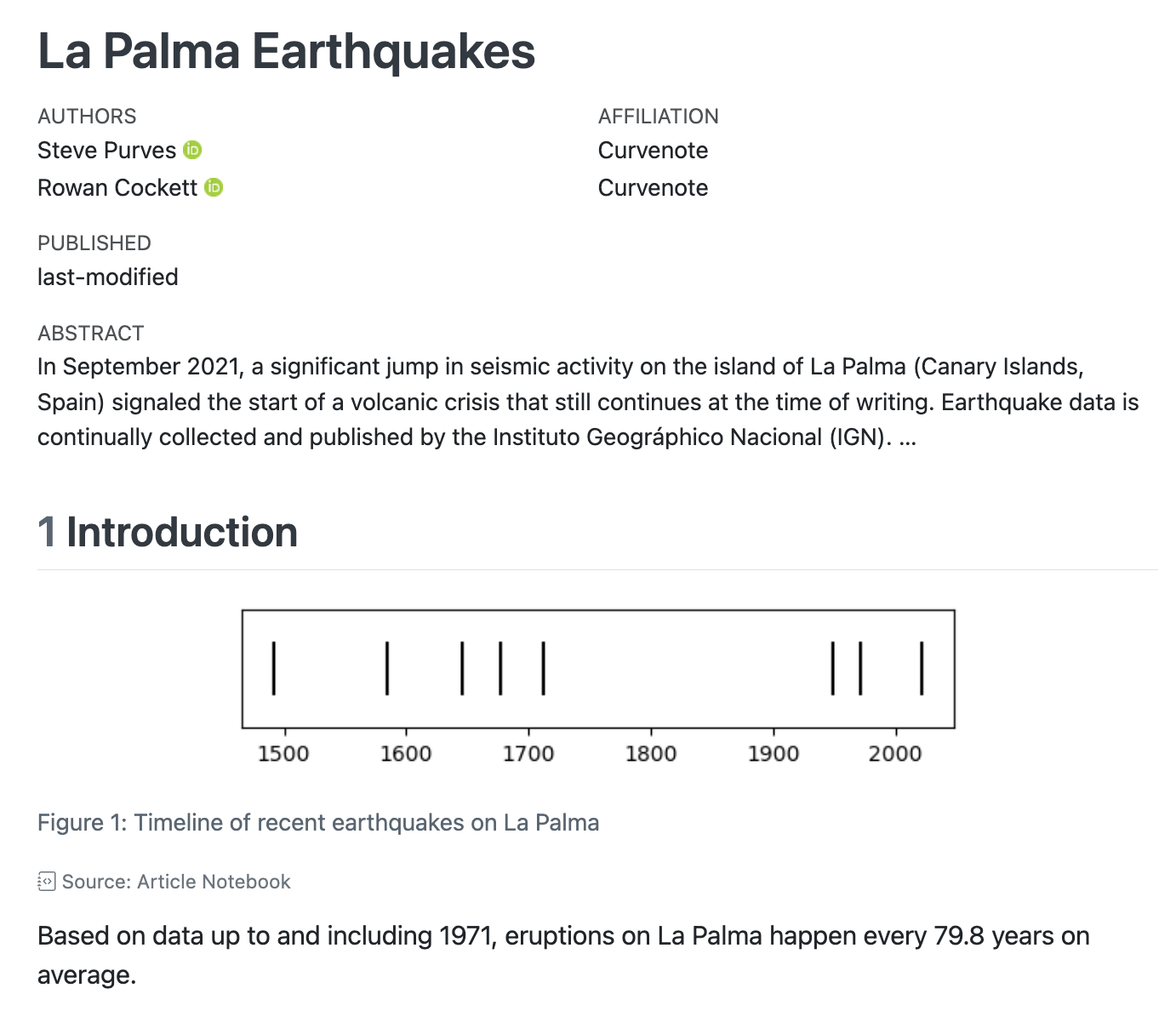
A screenshot of the content area on the manuscript webpage. Content shows a title block including the article title, authors, and abstract, body text, and an image with a caption.

Article Content

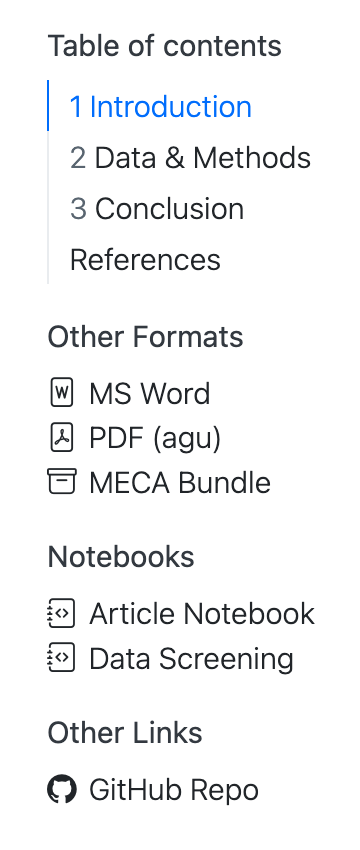
A screenshot of the menu on the right hand side of the manuscript webpage. The menu has headings: Table of contents, Other Formats, Notebooks and Other Links.

Navigation

On the right, you’ll see navigation: a table of contents for the article itself followed by links to Other Formats, Notebooks and Other Links.

Other Formats

These links allow a reader to download alternative formats of your article. In this example, there is an MS Word version that may be useful for a reviewer to provide feedback and a PDF version that uses the American Geophysical Union’s (AGU) template. Additionally, there is a MECA archive, a zip file that is designed to capture your article and its supporting documents into a single file suitable for sending to a publisher.

Notebooks

These are links to notebooks included in the manuscript. The “Article Notebook” is the notebook version of the article itself. In this example, “Data Screening” is a notebook from which a single cell is embedded in the article. Any other notebooks that are included in the project, even if they are not directly used in the article will also appear here.

When a reader visits any of these notebook links, they are served an HTML version of the notebook, allowing them to view the code and output without leaving their browser. In addition, a link to download the source code of the notebook is also provided.
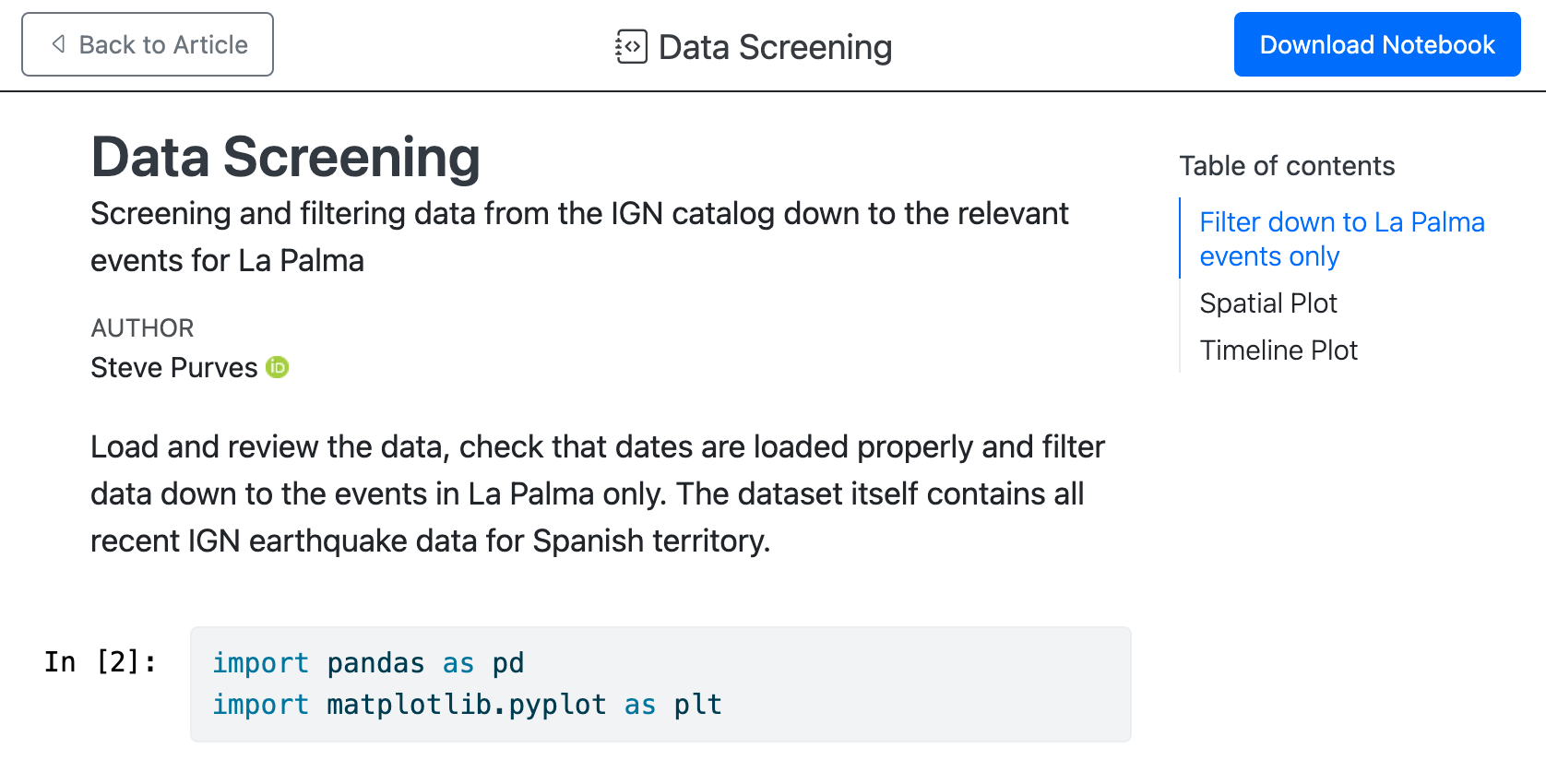
Screenshot of the notebook view of data-screening.ipynb. The top of the page has a link Back to the Article and a button to Download Notebook. The content of the page includes some text and a cell displaying code.

HTML view of the Data Screening notebook

Get Started

Install Quarto

Manuscripts are a feature in the 1.4 release of Quarto. Before you get started, make sure you install the latest release version of Quarto.

_

Highlights

Quarto 1.9 includes the following new features:

  • Posit Connect Cloud Publishing: Publish documents and websites to Posit Connect Cloud using quarto publish posit-connect-cloud.

  • Output for LLMs: Generate llms.txt and .llms.md files for websites, making your content more accessible to large language models and AI-powered tools.

  • quarto use brand command: Add or update brand assets from an external source.

  • List Tables: Create complex tables with a list-like syntax. An easier-to-maintain alternative to grid tables, originally developed by Martin Fischer with contributions from Albert Krewinkel and William Lupton.

  • PDF Accessibility:

    • PDF Standards and Accessibility for LaTeX and Typst: New pdf-standard option enables PDF/A archival formats and PDF/UA accessibility compliance. Use quarto install verapdf to automatically validate compliance.

    • Image alt text for PDF accessibility: Alt text fig-alt attributes now passes through to PDF output for screen reader support in both LaTeX and Typst formats.

    • Alt text for cross-referenced equations in Typst: Provide descriptive text for equations using the alt attribute.

  • Improvements to Typst support:

    • Typst book projects: Book projects can now render to Typst via the bundled orange-book extension, providing chapter numbering, cross-references, and professional textbook styling.

    • Support for Article layout: Place content in the margins, create full-width figures, or add side notes.

    • New options:

      • mathfont, codefont, linestretch
      • linkcolor, citecolor, filecolor
      • thanks
      • abstract-title
    • Theorem styling: New theorem-appearance option with four styles: simple (classic LaTeX), fancy (colored boxes with brand colors), clouds (rounded backgrounds), or rainbow (colored borders and titles).

  • Privacy-focused features for websites:

    • A privacy-first default for cookie consent: The default for cookie consent has changed to type: express, providing opt-in consent that blocks cookies until users explicitly agree. This privacy-conscious default is designed with modern privacy regulations in mind.

    • Algolia Search Insights avoids cookies: Use Algolia Insights now uses persistent cookies only if cookie-consent is active, and the user has opted-in.

    • Use Plausible Analytics: Add privacy-friendly Plausible Analytics to websites via the plausible-analytics configuration option.

  • Search Result Highlighting: Improved highlighting of search terms on destination pages, with persistent marks, automatic tab activation for matches inside tabsets, and cross-element highlighting for multi-word searches.

  • aria-label for videos: Improve accessibility of embedded videos by providing custom descriptive labels for screen readers instead of the default “Video Player” label.

  • New syntax-highlighting Option: Replaces the deprecated highlight-style (Pandoc 3.8). Supports style names, custom .theme files, none, or idiomatic for format-native highlighting.

  • Metadata and brand extensions now work without a _quarto.yml project. A temporary default project is created in memory.

  • Engine extensions allow replacement of the execution engine:

    • Julia is now a bundled extension instead of being built-in.
    • quarto-marimo will soon change from a filter extension to an engine extension.
    • New quarto create extension engine command.
    • New quarto call build-ts-extension command.
    • New Quarto API for engine extensions to use. (This is in flux and will not be documented for the next few releases, but there will be a dev blog post about it.)

Release Notes

You can find release notes and installers for all platforms in the download page.

Choose Your Tool

You can author Quarto manuscripts in any tool or notebook editor. The tutorials below walk you through authoring Quarto manuscripts with a few common tools.

Choose your tool to start learning: